
Der Hero PRO™ ist ein bionisches Wunderwerk aus robustem Nylon PA12, das modernste 3D-Drucktechnologie mit erstklassiger Funktionalität kombiniert. Genießen Sie Kraft in jedem Griff, Präzision in der Bewegung und das geringste Gewicht aller Handsysteme der Welt. Jede Kurve und jedes Detail des Hero PRO™ wurde so konzipiert, dass sie sich wie eine Verlängerung Ihrer selbst anfühlt.
Mit einer Touchscreen-Fingerspitze am Zeigefinger können Sie unterwegs nahtlos mit Ihren Geräten interagieren. Bereit für einen Sprung ins kühle Nass? Der Hero PRO™ ist nach IPX7 wasserdicht, sodass Sie ihn ohne Bedenken nass machen können – aber geben Sie uns nicht die Schuld, wenn Sie mit dem Abwasch beauftragt werden!

Unglaublich schnelle Finger ermöglichen es Ihnen, Hero PRO™ über zwei Mal schneller zu öffnen und zu schließen als alle führenden bionischen Hände auf dem Markt. Das ist schneller, als Sie „Prothese“ sagen können. Hero PRO™ bietet eine doppelt so hohe Traglast wie die Vorgängergeneration Hero ARM™, Sie können bis zu 57 Pfund heben – ob Sie einen schweren Koffer schleppen oder einen Autoreifen anheben, Sie haben die Kraft in der Hand.

Eine 4-stündige Ladung reicht aus, um Sie mit Energie durch den Tag zu bringen. Mit einem weltweit einzigartigen Design integriert Hero PRO™ den miniaturisierten Akku direkt in die Hand, wodurch das Gewicht reduziert wird und Hero PRO™ die leichteste bionische Hand auf dem Markt ist.
Sie brauchen eine schnelle Aufladung? Mit dem super einfachen USB-C-Laden kannst du dich unterwegs aufladen.
Mit über 50 Cover-Designs in einer Reihe von Farben und Mustern können Sie mehrere, austauschbare Looks auswählen, die zu Ihrem Stil, Ihren Leidenschaften und Ihrer Persönlichkeit passen. Der Hero PRO™ ist die anpassungsfähigste bionische Hand auf dem Markt. Bringen Sie sich selbst zum Ausdruck und gestalten Sie Ihren eigenen Look.

Hero PRO™ verfügt über 7 leistungsstarke Griffmodi – einschließlich eines Präzisions-Tastengriffs -, mit denen Sie alltägliche Aufgaben mühelos bewältigen können. Vom morgendlichen Kaffeetrinken über das Tippen auf der Tastatur, das Öffnen von Türen, das Tragen von Einkäufen, das Schieben eines Kinderwagens, das Schließen von Reißverschlüssen, das Binden von Schnürsenkeln, das Scrollen auf dem Smartphone, das Kochen des Abendessens bis hin zum Abwasch – für alles gibt es einen Griff. Passen Sie Ihre Griffe in der Sidekick App an, und bald werden über drahtlose Updates noch mehr Griffoptionen verfügbar sein.
Unser neues, patentiertes Daumendesign verwendet einen einzigen Motor, um die Bewegung anzutreiben, wodurch das Gewicht niedrig gehalten wird, während die Kraft bei jedem Griff erhalten bleibt. Entriegeln Sie Türen, halten Sie Ihr Gitarrenplektrum, drehen Sie einen Deckel – erleben Sie festen und zuverlässigen Halt bei alltäglichen Aufgaben mit Präzision und Leichtigkeit.

Hero PRO™ bietet die größte Beugung und Rotation des Handgelenks als jede andere bionische Hand auf dem Markt.* Beugen und strecken Sie das Handgelenk manuell bis zu 45° in beide Richtungen, um Ausgleichsbewegungen zu reduzieren und das Greifen von Gegenständen zu erleichtern. Genießen Sie die volle manuelle 360°-Drehung. Mit dem bahnbrechenden USMC-Standard-Handgelenkanschluss können Sie schnell zwischen Arbeits- und Sportmodus wechseln. Mit über 50 kompatiblen Aktivitätsaufsätzen können Sie Ihren Hero PRO™ austauschen, ohne Ihre gesamte Prothese zu wechseln.
Der vielseitigste bionische Arm, der je gebaut wurde.
| Feature | Hero PRO | Konkurrent | Konkurrent | Konkurrent | Konkurrent | Konkurrent | Konkurrent |
|---|---|---|---|---|---|---|---|
| Wasserdicht[1] |   |
 |
|
|
|
|
|
| Auswechseln mit Activity Attachments | |
|
|
|
|
|
|
| Vollständiges Systemgewicht[2] | 548g |
771g[2] | 762g [2] | 693g[2] | 766g[2] | 594g[2] | 693g[2] |
| Fingerschließgeschwindigkeit | 0.6s |
1.0s | 0.8s | 1.2s | 0.8s | N/A[4] | 1.2s |
| Handgelenk beugen/strecken | 45°/45° |
30°/30° | 40°/40° | |
30°/30° | |
40°/40° |
| Maximale Traglast | 25kg | 44kg | 89kg | 35kg | 29kg | 35kg | 39 kg |
| Touchscreen-kompatibel | |
|
|
|
|
|
|
| Angetriebene Daumendrehung | |
|
|
|
|
|
|
| Broschüre herunterladen |
Mittlere oder gleichwertige Handgrößen zum Vergleich herangezogen. Versionen mit „flexiblem Handgelenk“ wurden zum Vergleich herangezogen, sofern verfügbar. Die Daten stammen von den Websites der Hersteller und aus Downloads.
[1] Kann die gesamte Prothese, wenn sie in ein vollständiges System eingebaut ist, bis zu 30 Minuten lang in einer Tiefe von bis zu 3 Fuß (IPX7) unter Wasser getaucht werden?
[2] Gewicht des integrierten Systems einschließlich Hand, Batterie, Kabel, Handgelenkkomponenten und EMG-Sensoren
[3] Schätzung auf der Grundlage von 89 g Batteriegewicht, 2 x 4,5 g MyoBock-Elektroden und 5 g Kabeln.
[4] Vom Hersteller nur als 375 Grad/Sekunde angegeben, was einen Vergleich unmöglich macht, wenn man nicht weiß, um wie viel Grad sich die Finger bewegen, um von offen nach geschlossen zu wechseln.
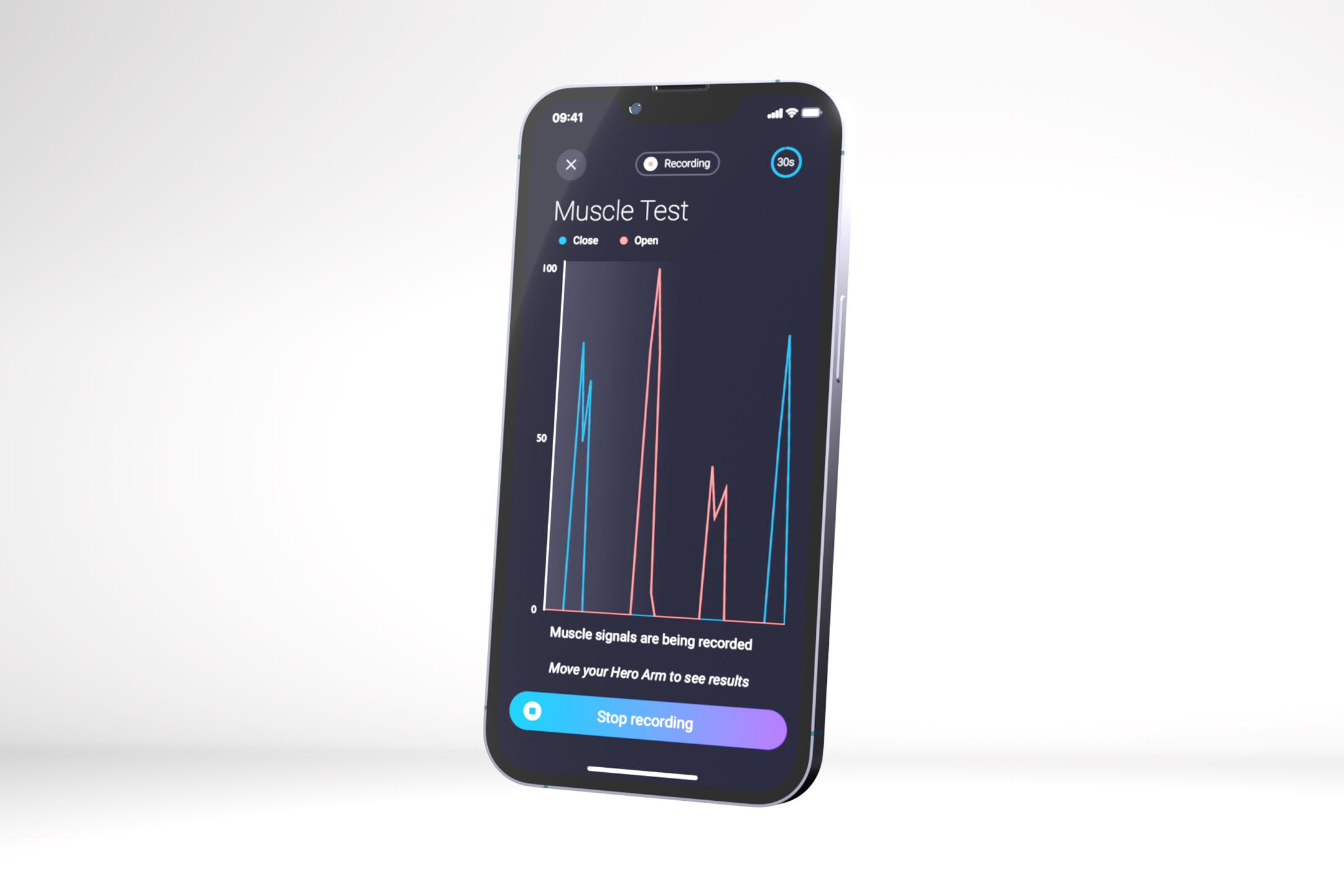
Koppeln Sie Ihren Hero PRO mit der Sidekick App. Lerne, wie du deine bionische Hand benutzt, passe die Griffmodi an, verfolge den Fortschritt und vieles mehr.
To view these hidden files, you need to use specific options with the ls command:
The "dot file" convention started as a shortcut in early Unix programming to hide system-level configuration files from the average user. Today, they are the standard for: .bash_profile , .zshrc , .vimrc . Application Data: .config , .local . Version Control: .git , .gitignore . Security: .ssh , .gnupg . 6. Pro Tip: Creating an Alias
While viewing dotfiles is the focus, a true command-line master leverages ls for much more. Here are some of the most practical options to use in combination with -a or -A :
Adding the -F flag appends a character to the end of each entry to tell you exactly what it is: / indicates a directory (e.g., .ssh/ ) @ indicates a symbolic link * indicates an executable file ls -laF Use code with caution. Real-World Use Cases: Why Find Dot Files?
Use ls -R to list files in the current directory, as well as all subdirectories, recursively. 4. Special Characters and ls ls filedot
: Filedot allows administrators to define fine-grained access policies so that each container only "sees" and accesses the specific files it needs, rather than the entire volume. POSIX Compliance
In its simplest form, running ls in a terminal displays the names of files and folders in your current working directory. However, it omits hidden files by default to keep the output clean.
user wants a long article for the keyword "ls filedot". This likely refers to the ls command and the concept of "file dot" (maybe hidden files or dotfiles). I need to investigate what "ls filedot" means. It could be a specific command or a typo. I'll search for "ls filedot" and related terms to understand the context. search results show that "ls filedot" might be a typo or a specific term. The Wikipedia page on hidden files and the search results for "ls dot" and "hidden files" are relevant. There's also a mention of "filedot.to" as a file hosting service. The user might be referring to that. I need to gather more information. I'll open the Wikipedia page, the "ls -a" results, and the "filedot.to" results. Wikipedia page explains dotfiles. The search results for "ls -a" are not directly relevant. The "filedot.to" results show it's a file hosting service. The user's keyword "ls filedot" might be a combination of the ls command and the service "filedot.to". I'll search for "filedot.to" and "ls" together. search results for "filedot.to ls" don't show a direct connection. The user might have mistyped "ls" as "ls". The keyword "ls filedot" might be a command to list files on filedot.to, but that seems unlikely. I need to cover both possibilities: the ls command and dotfiles, and the file hosting service filedot.to. I'll structure the article to address both. I'll need more information on ls command options and dotfiles. I'll also need more details on filedot.to. Let's search for "ls command options" and "dotfiles best practices". have enough information to write a comprehensive article. The structure will include an introduction, a detailed explanation of the ls command and dotfiles, the difference between ls . and ls -a , management of dotfiles, and a section on the file hosting service filedot.to. I'll also include a conclusion. Now I'll write the article.ls` is arguably the most fundamental command in a Unix-like operating system, the first command many users learn. However, the world of dotfiles—hidden configuration files that start with a dot—adds a layer of complexity that often leads to the query:
If you want to see hidden files in a hierarchical, visual tree format, you can install the tree utility and pass the -a flag: tree -a Use code with caution. Modern Replacements ( exa / eza ) To view these hidden files, you need to
: It behaves like a standard Unix file system, meaning existing applications can use it without modification. Decoupled Architecture
To help tailor this information, what are you trying to accomplish with dotfiles, or what shell environment (like Bash or Zsh) are you currently using? Share public link
As a developer, you've likely found yourself in a situation where you're trying to list files in a directory, but the output is not what you expected. You've typed ls filedot in your terminal, and instead of getting a simple list of files, you're met with a confusing output. What's going on?
For example, test how your script handles: Version Control:
Press Cmd + Shift + Period (.) to reveal or hide dotfiles. Summary Checklist of ls Dotfile Commands What It Does ls Lists only visible files and folders. ls -a
This is the most common command. It displays all files, including hidden dotfiles, along with the . (current directory) and .. (parent directory) shortcuts.
The ls command behaves differently based on special characters used to represent files: : Indicates a directory. * : Indicates an executable file. @ : Indicates a symbolic link. | : Indicates a named pipe (FIFO).

 Englisch
  USA
USA  Deutsch